Research with a direction
Explore competitor headings, relevant phrases, and keywords before deciding what your article needs.
Sources stay beside your draft.Turn a keyword into a researched brief, a structured draft, and a better article. Keep your sources, AI assistant, and content checks together in ContentRyter.
One free trial article. A real workflow to explore.
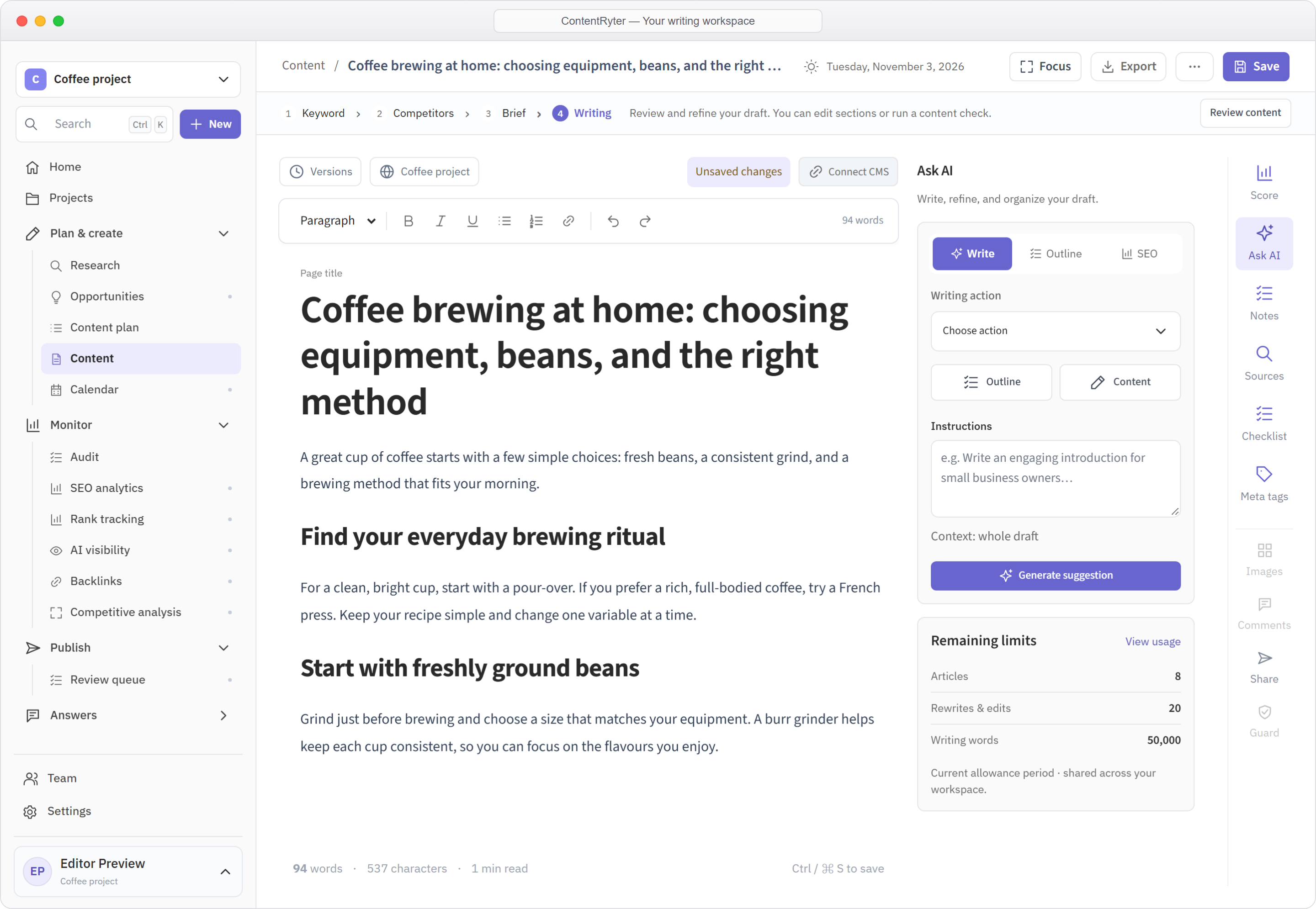
Good content needs research, structure, and your perspective. Bring those pieces into the same place, from the first search to the final edit.
Explore competitor headings, relevant phrases, and keywords before deciding what your article needs.
Sources stay beside your draft.Build a brief, add your own knowledge, and shape the outline before generating your article.
Your expertise belongs in the process.Review headings, topic coverage, and metadata with practical content checks as you refine your draft.
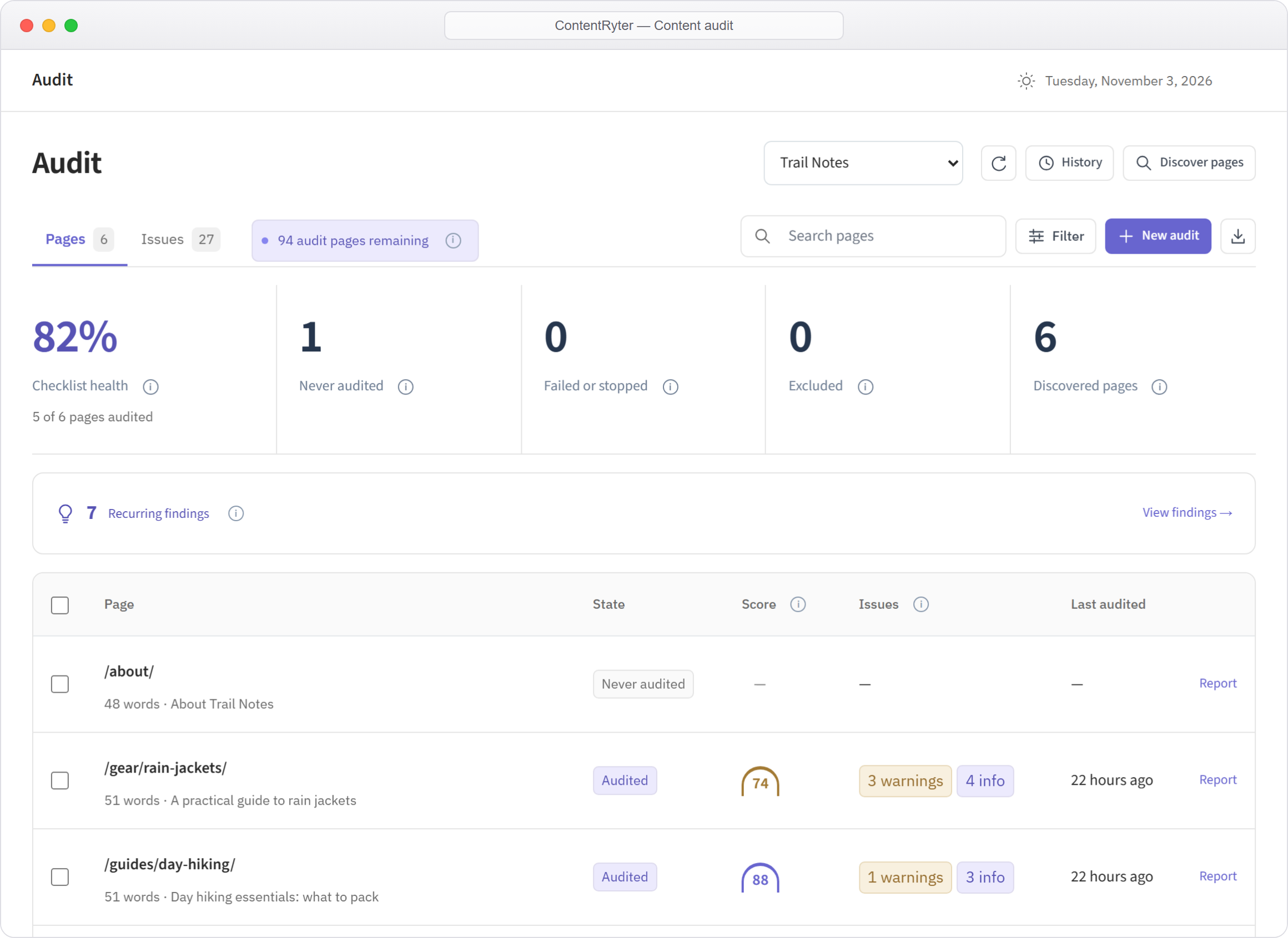
Useful guidance, with you in control.Discover your website’s pages, choose what to audit, and see which content needs attention. Review titles, descriptions, headings, and keyword patterns before you decide what to improve.
Write from scratch or work with AI. Add your facts and experience, review the research, and edit the draft until it sounds like you.
Create your first articleSet the topic and the project it belongs to.
Choose relevant competitors and build your brief.
Generate a draft or write manually, with your sources close by.
Check structure, metadata, and the details only you can verify.
Compare the articles, writing words, and research included in each plan.
30% off for new usersUse code HELLO at checkout.
Try the editor with one free trial article per account.
A place to get started
Explore FreeYour plan includes
Everything you need to grow your blog.
Billed monthly
Explore Solo BloggersYour plan includes
Create, review, and publish together.
Billed monthly
Explore Company/TeamYour plan includes
Prices in USD. Monthly writing words, article generations, edits, analyses and research points are separate allowances. Briefs, articles and AI edits consume writing words. Free includes one trial article per account. Paid allowances are shared within the workspace and reset monthly, including on annual billing. Annual plans are charged for the full year. Applicable taxes are shown at checkout.
A few things to know about researching and optimizing content with ContentRyter.
ContentRyter is a content research, writing, and optimization workspace for SEO writers, marketers, and teams. Research a topic, draft your article, and review content suggestions in one place.
Build clearer articles with relevant topics, supporting phrases, useful headings, and answers to reader questions. ContentRyter supports the content work; it does not guarantee rankings or inclusion in an AI-generated answer.
The score combines available competitor research with writing checks, including content length, phrase and entity coverage, headings, keyword use, and metadata. It is an editing guide, not a prediction of a Google ranking or an AI citation.
ContentRyter currently focuses on researching, writing, and optimizing your content. It does not track live Google positions or mentions in AI-generated answers.
Yes. Free includes one trial article per account, 5,000 writing words per month, 10 content analyses and 10 research points per month, 5 custom templates, 1 project and unlimited documents. Paid plans add monthly article generations, rewrites, competitor analysis, content planning and read-only sharing. Briefs, articles and AI edits share the writing-word allowance.
No. Customer prompts, drafts, and workspace content are not used to train AI models. AI-assisted features process the content you submit to generate the response you request.
Yes. Email info@contentryter.com to cancel before your next renewal. You can request a refund within seven days of a subscription charge. See our Refund & Cancellation Policy for the full details.
Try the workflow with your first free trial article.
Get started free Compare plans